
Edit your WordPress site by asking.
Tell ADI what to change on your website. It finds the right page and field, shows you the change, and makes it once you approve. Every change keeps a restore point.
One request. One change you approve.
ADI connects to your site through the ADI Site Bridge plugin, so there is no editor to learn and nothing to copy and paste.
- Ask in your own words“Change the Saturday class time on the Schedule page to 10 a.m.” ADI finds the page and the exact field that holds it.
- See the change firstADI shows what the text says now and what it will say, and waits for you to approve or reject that one change.
- Undo in one stepEvery change keeps a restore point, and ADI can put a page back in one step.
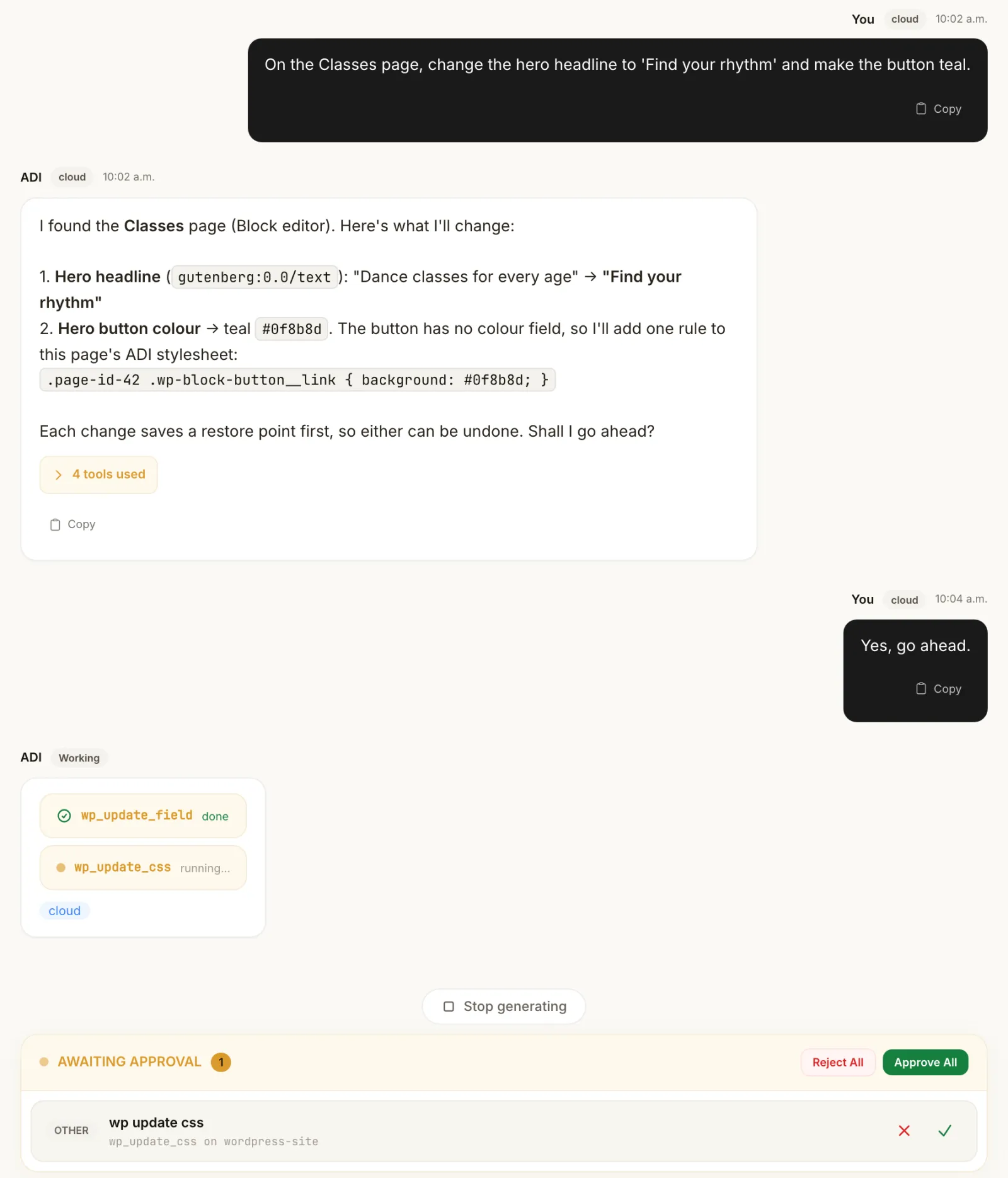
The example is illustrative. ADI asks each time unless you have delegated that task to it, and automations you set up yourself run on their schedule. Today the approval step works with Anthropic and the built-in local model; command-line engines such as Claude CLI use their own tools, outside ADI’s approval step.
It works with how your site is built.
- Pages and page builders
- Headings, text, buttons, lists and images in the Block editor and Elementor, and text in the Classic editor and shortcode builders such as WPBakery, Divi and Avada.
- Custom fields
- Advanced Custom Fields, including repeaters, flexible content sections and options pages such as Site Settings.
- WooCommerce products
- Prices with your store currency, sale dates, SKUs, stock, categories, tags, images and each variation, through WooCommerce’s own product API.
- Look and feel
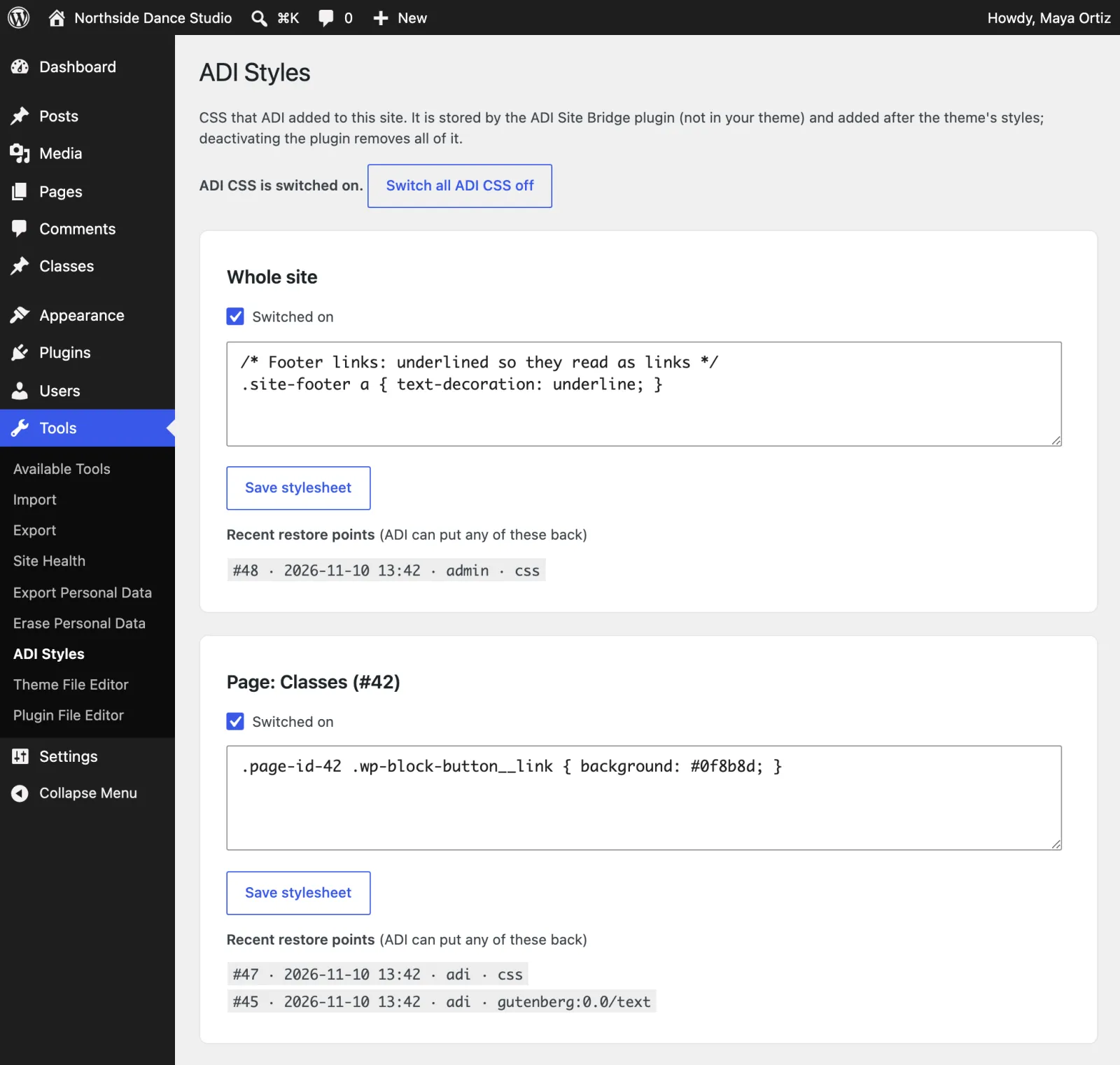
- Styles for one page or the whole site, Customizer settings such as the header bar and footer links, and Text, Custom HTML and block widgets. Site-wide changes need an Administrator connection.
Your site, your rules.
ADI works inside WordPress’s own permissions, and the plugin sets limits of its own on top.
- Acts only as the WordPress account you choose, and you can revoke it at any time.
- Never adds scripts, embeds, forms or event handlers through ADI, whatever the account.
- Leaves SEO titles, meta descriptions and schema to your SEO tool.
- Never deletes anything permanently, changes page addresses or touches orders, customers and payments.
- Skips pages someone has open in the WordPress editor, so nobody’s work is overwritten.
- Keeps a restore point for every change, and Tools → ADI Styles can switch ADI’s styles off.
You stay in charge, on both sides.
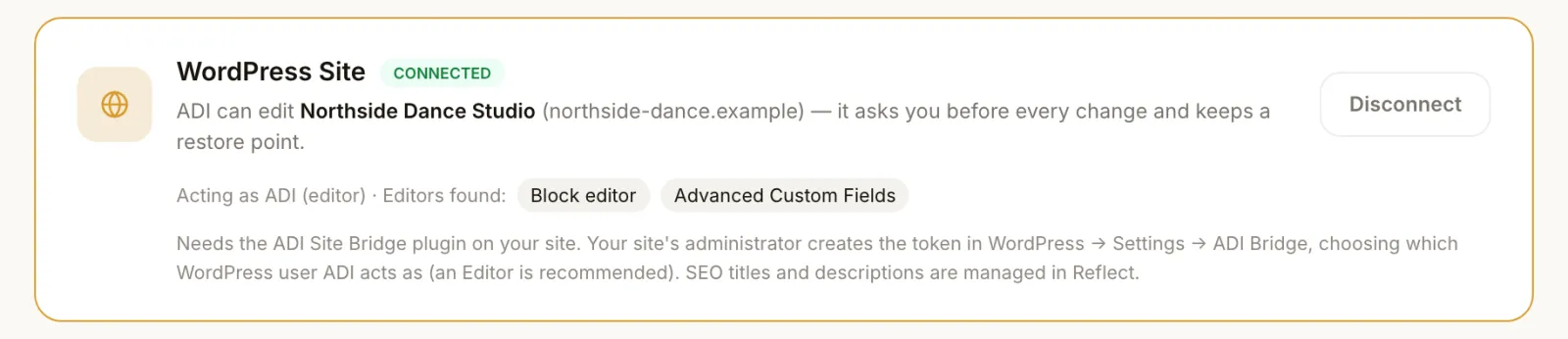
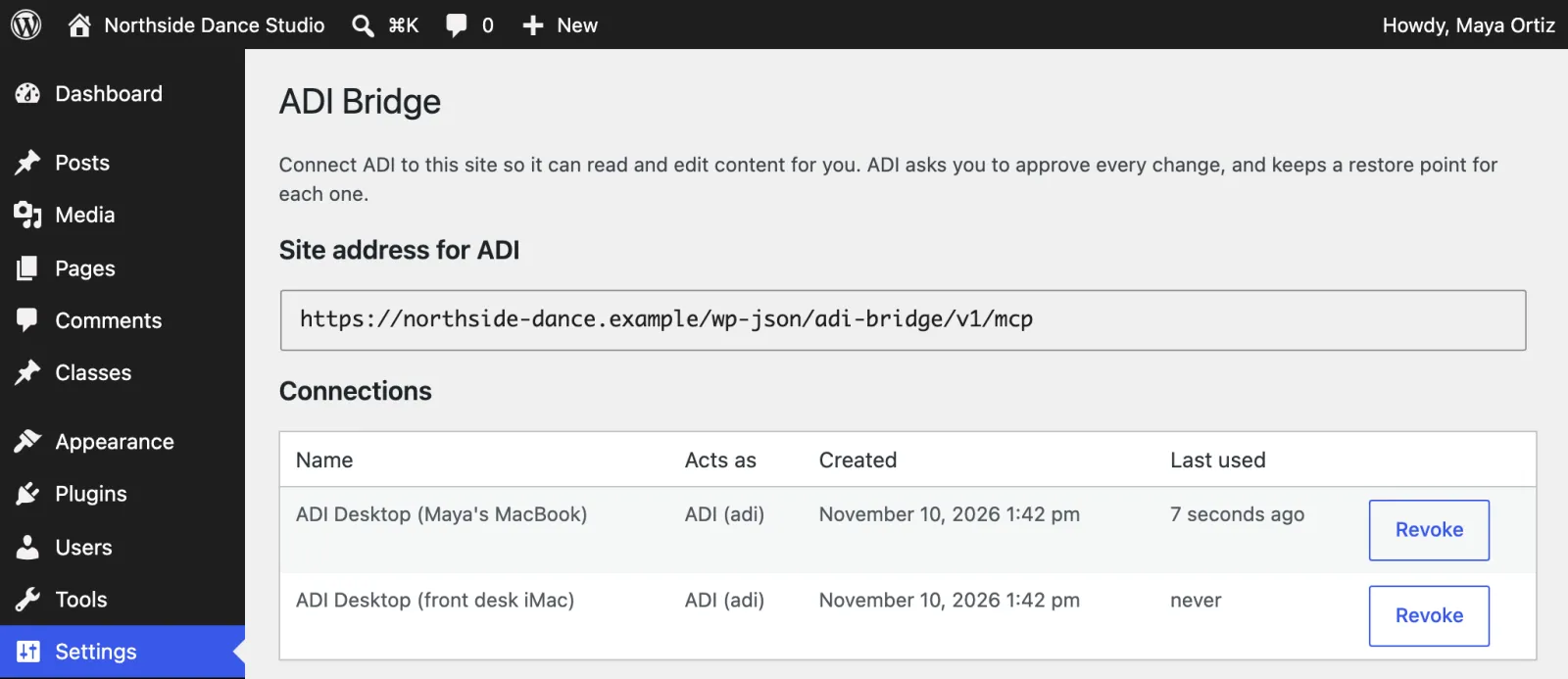
ADI shows which site it is connected to and as whom. In WordPress you see every connection, and can revoke any of them.
Connect your site in three steps.
Download the plugin
Needs WordPress 6.2 and PHP 7.4 or later. In WordPress: Plugins → Add New → Upload Plugin. After that, updates appear on your Plugins screen like any other plugin, and your site installs only releases signed by Adiuvo.
ADI Desktop adds the WordPress Site Editing pack on its own with its pack updates. The pack teaches ADI how to find the right field and check each change.
- Install ADI Site BridgeUpload the plugin to your WordPress site and activate it.
- Create a connectionIn Settings → ADI Bridge, choose the account ADI acts as (a dedicated Editor is recommended) and copy the token. It is shown only once.
- Connect ADIIn ADI Desktop, open Settings → Connections → WordPress Site, paste your site address and the token, then ask for your first change.
Before you connect.
Which WordPress account should ADI use?
A dedicated Editor account is the safe choice: ADI can then change content, but not plugins, users or settings. A WooCommerce store needs a Shop Manager account for products. ADI never acts beyond the permissions of the account you choose, and you can revoke its connection at any time in Settings → ADI Bridge.
Can ADI break my site?
ADI edits the text, images and fields inside your pages; it does not add, remove or reorder sections, change page addresses or delete anything permanently. It can’t add scripts, embeds or forms through the bridge, whatever the account. Pages someone has open in the WordPress editor are left alone, and every change has a restore point. With an Administrator connection it can also change site styles, Customizer settings and widgets; each of those has a restore point too, and Tools → ADI Styles can switch ADI’s styles off.
What about my SEO titles and descriptions?
The bridge never touches SEO titles, meta descriptions, social previews or schema. Those stay with your SEO tool; for Adiuvo clients that is Reflect.
Which page builders does it work with?
The Block editor, the Classic editor and shortcode builders such as WPBakery, Divi and Avada, Elementor, and Advanced Custom Fields, including repeaters, flexible content and options pages. On WooCommerce it edits product prices, sale dates, SKUs, stock, images and variations, never orders, customers or payments.
What would you change first?
ADI is included with any Adiuvo product plan. Tell us about your site and we’ll help you connect it.